Busy teams often repeat menu details, rewrite notes and move between tables just to confirm simple requests. Guests wait longer, staff context gets lost and menus become harder to keep current.
The solution
Menifly connects the table to the team
Guests scan a QR code, browse the venue menu, add items to a shared cart and submit orders. Staff receive orders by table, update statuses and manage menu availability from the dashboard.
Customers waiting to place the first order
Staff missing table requests
Slow service during busy periods
Mistakes from verbal handoffs
Crowded counters and repeated questions
No clear live order visibility
The solution
A clear path from scan to service
Orders move from the table QR code to the staff dashboard with clear updates for the guest.
1
Customer scans QR
The table code opens the correct ordering session.
2
Browses the menu
Items, categories, and availability are clear on mobile.
3
Sends the order
Cart items and notes arrive with table context.
4
Staff manage live
Orders and service requests appear on the dashboard.
5
Customer gets updates
Status stays visible from the same page.
Product interface
Customer ordering and staff operations in one flow
Menifly feels simple for guests on mobile and operationally clear for staff managing orders, tables, and menu availability.
Customer side
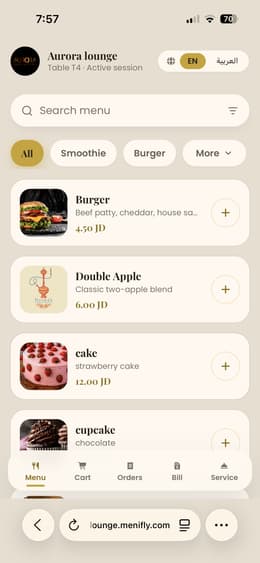
Mobile ordering and service
Guests scan QR, browse the real menu, send orders, and request service.
Staff dashboard
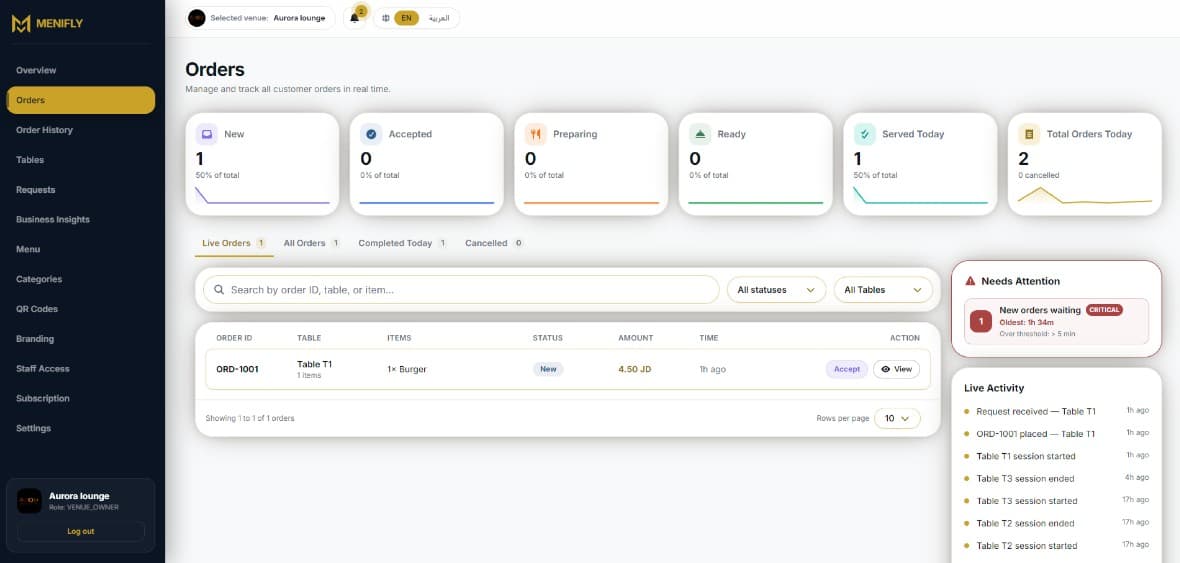
Live order control
Staff receive live orders and service requests with table context.
Manager dashboard
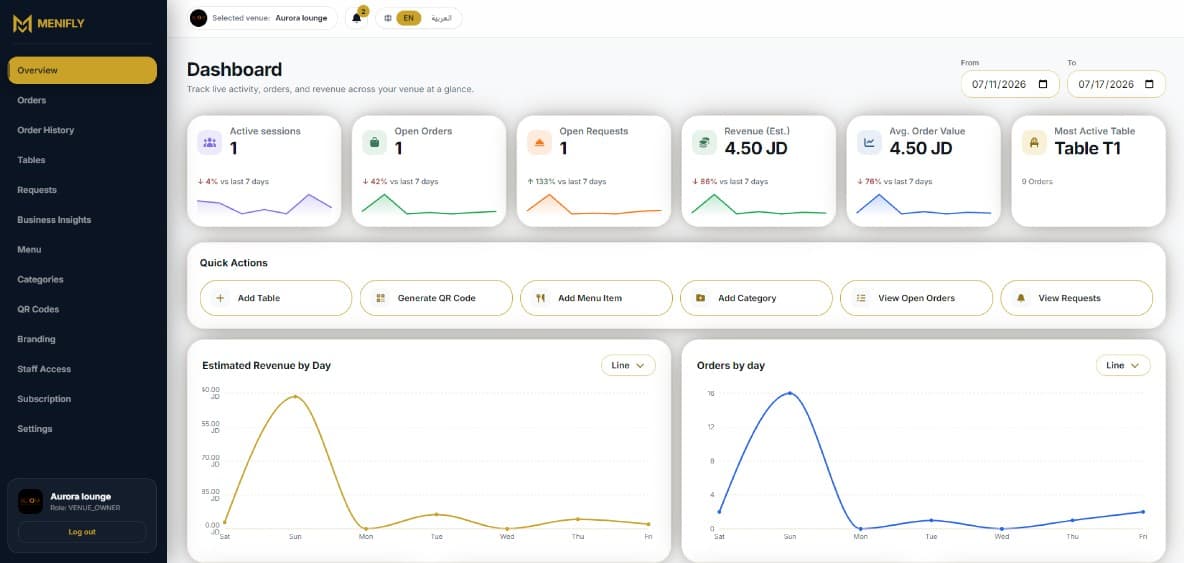
Operations overview
Managers track tables, revenue, menu availability, QR codes, and branding.
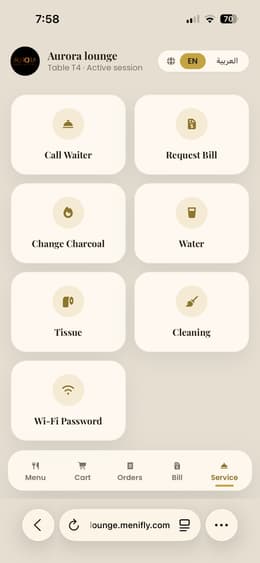
Service requests
Call waiter, request bill, Wi-Fi, water, and cleaning from the guest UI.
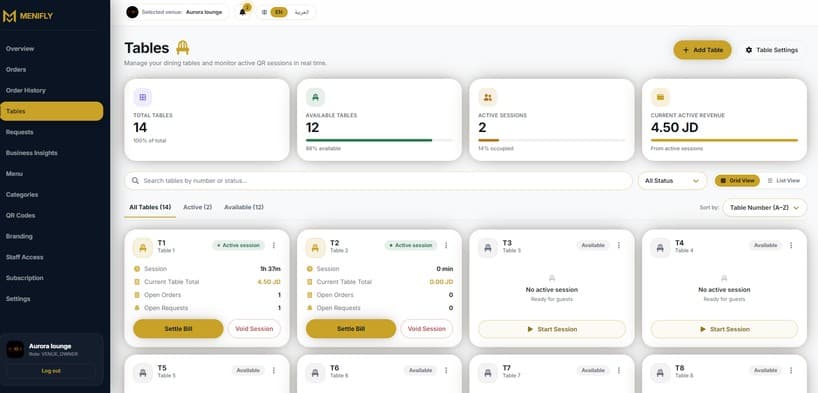
Table management
Active sessions, available tables, and current table revenue in one view.
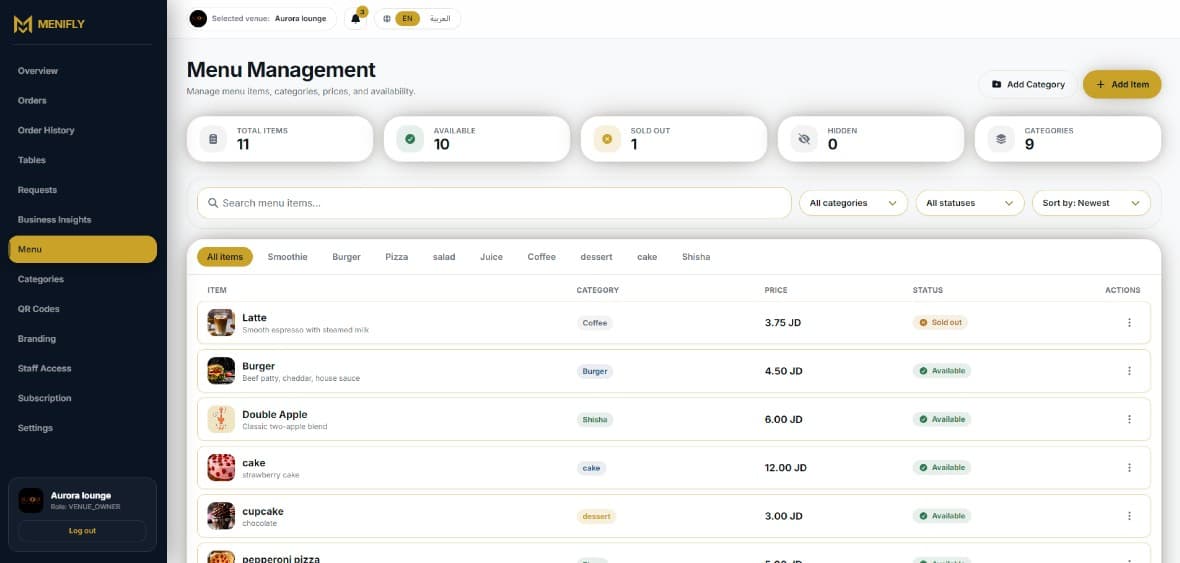
Menu management
Items, prices, availability, and categories exactly as the owner works with them.
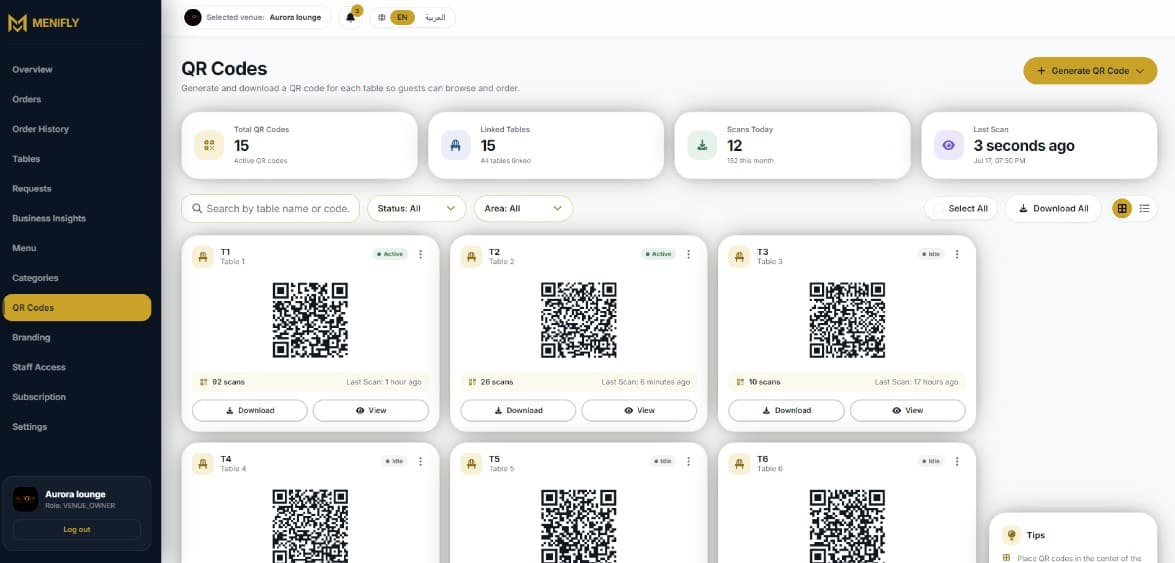
QR operations
Table-linked QR codes with scan counts and download controls.
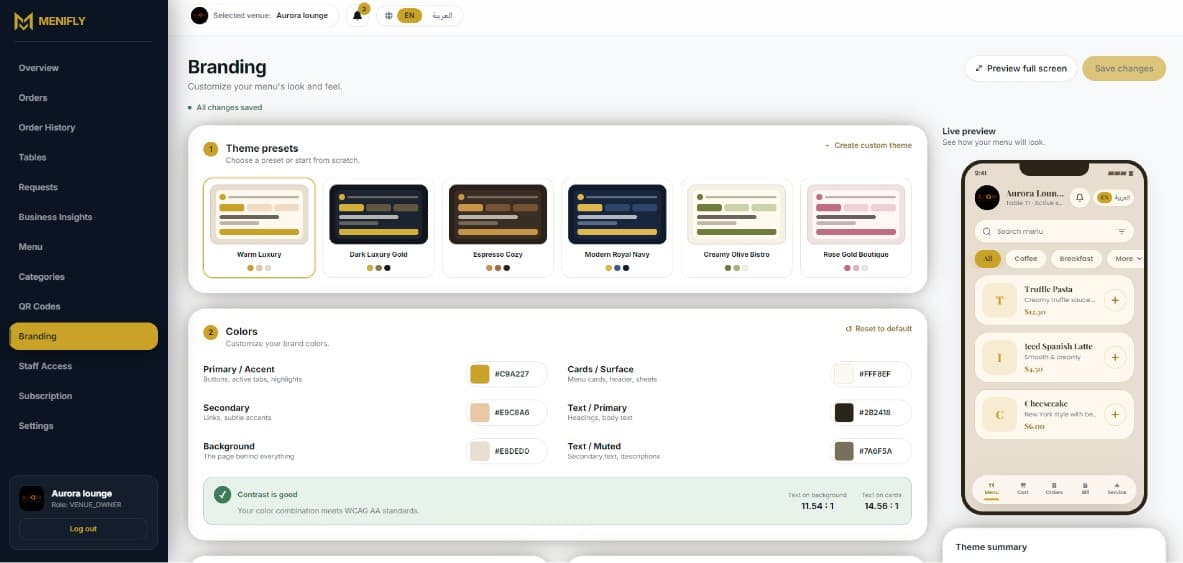
Branding preview
Theme presets, colors, and a live customer menu preview.
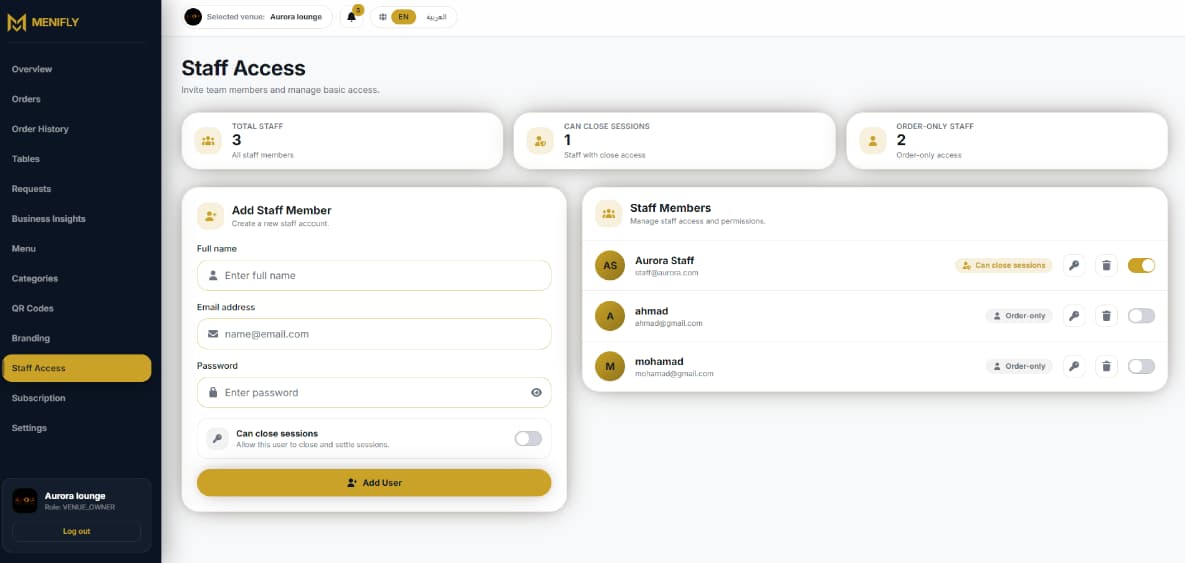
Staff and settings
Team access, service settings, venue status, and quick actions.
Benefits
Useful outcomes for staff and customers
For the venue and team
Reduce repeated menu explanations and manual order taking.
Keep menus, prices and availability easier to update.
Give staff clearer visibility into table orders and requests.
Support Arabic and English usage for local and regional guests.
For customers
Open the menu from the table without downloading an app.
Add notes and review the cart before ordering.
Follow order status from the same page.
Request service or the bill without waiting to catch attention.
Venue fit
Built for different hospitality models
Menifly supports table service, self-service, and pickup-style workflows depending on how the venue operates.
Cafes
Fast ordering, always-current menus, and table or pickup-style flows.
Restaurants
Clear table context with service and bill requests in the same experience.
Lounges
Better visibility for orders and common requests in busy spaces.
Food courts
Pickup-friendly workflows and ready status visibility.
Self-service venues
A digital path that can reduce counter congestion.
Table-service venues
Staff stay in control with clearer incoming details.
How it works
Simple steps for guests and staff
Every step keeps the table, menu, and order context attached so staff know what needs attention.
1
Set up the venue
Create tables, upload menu items, organize categories and choose the services guests can request.
2
Place QR codes on tables
Each table QR opens the right venue and table session so guests can start without installing an app.
3
Serve from the dashboard
Staff see live orders and service requests, update order status and keep unavailable items out of the customer menu.
Features
Features tied to daily operations
The focus is not a static menu page. It is an ordering and management workflow staff can use during service.
QR table ordering
Table-linked QR codes open the right ordering session.
Digital menu
Categories, items, prices, and availability from one dashboard.
Real-time orders
Staff see orders with table and note context.
Shared cart
Groups can review the order together before sending.
Service requests
Waiter, bill, Wi-Fi, and other enabled requests.
Ready notifications
Order status stays visible where the workflow supports it.
Menu availability
Keep unavailable items out of the customer flow.
Venue branding
Customer screens can reflect the venue identity.
Staff access
Owner and staff accounts without sharing owner credentials.
Reports and history
Order history and operational views for service follow-up.
Pricing
Choose your Menifly plan
Monthly pricing in JD, with WhatsApp support to confirm the best fit for your venue.